When building a home theater, most people rightly put most of their money into two things: their TV and their sound system. You won’t enjoy a 70-inch OLED if the audio is underwhelming, and on the flip side, a 7.1-channel Dolby Atmos system is pointless if it’s paired with a 40-inch LCD that struggles in dark scenes. You don’t need to spend a fortune to have a nice setup — but you do need to prioritize.
Something you may be neglecting, though, is your Wi-Fi router. You might think of it as separate from your AV gear, but it’s often crucial to a smooth experience, and an upgrade may be in order. I’ll explain why Wi-Fi matters so much, and what to look for when you’re shopping with a home theater in mind. I’ve also linked to some explainers in case my terms aren’t familiar.
Why does Wi-Fi matter in a home theater?
It’s not just raw video bandwidth
The most obvious reason is streaming quality. While just about any router should be able to handle 1080p video, 4K bandwidth can be problematic if there’s a lot of network congestion or interference. Your TV/media streamer needs a steady 25Mbps (megabits per second) at least, and ideally 50Mbps or more to prevent any buffering or visual artifacts. This has the potential to go even higher if you want to stream in native 8K and/or the highest possible bitrates.
Audio quality isn’t a huge factor on its own, but is something to consider in tandem with video. 3D spatial formats like Dolby Atmos and DTS:X involve more data than a conventional stereo or surround mix, as do lossless standards like Dolby TrueHD. In fact, even HDMI 2.0 isn’t enough to carry lossless Atmos alongside video, so you can pretty much count it out over Wi-Fi except for very particular configurations. The greater issue tends to be streaming services — while Atmos support is common, the vagaries of the internet make it impractical for companies like Disney and Netflix to offer lossless.
Wireless audio products like Sonos speakers and Apple HomePods can be extremely sensitive to bad Wi-Fi. These need to talk not just to your TV, but to each other in the context of a multichannel system. A network in rough shape can potentially lead to interruptions, or one or more speakers dropping out. I’ve had both HomePods and my Sonos Ray temporarily drop out after some router firmware updates, though thankfully the Ray simply lost its app control functions. It uses an optical cable for TV audio. Most other soundbars rely on an ARC or eARC connection over HDMI.
Wireless audio products like Sonos speakers and Apple HomePods can be extremely sensitive to bad Wi-Fi.
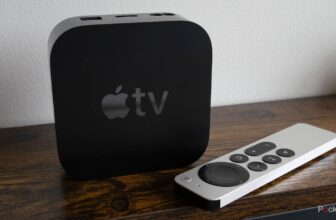
Another thing to consider is the speed of downloads. The more bandwidth your TV has, the faster it can download apps and OS updates. Installation speed will still be capped by what your TV/streamer and internet plan allow, of course. You can’t expect a five-year-old Roku TV to perform as well as a state-of-the-art Apple TV 4K.
Clean bandwidth is paramount if you want to play online games, regardless of whether it’s on a PlayStation 5 or a Steam Deck. Any unnecessary lag is going to affect your response times. In an action game, lag might mean missing a jump or turn, or becoming the victim of a headshot instead of dealing one out. I wouldn’t even consider subscribing to a cloud gaming service without a rock-solid connection at every step.
Lastly, don’t forget any additional smart home accessories in your theater space. Lights, blinds, and thermostats don’t consume much bandwidth, yet they can still drop out if your router can’t handle enough simultaneous connections, or it has trouble managing things across multiple frequency bands. Arguably, it’s preferable to move as many accessories as possible off of Wi-Fi and over to technologies like Thread and Zigbee. All Philips Hue lights connect to a dedicated Zigbee hub, as an example.
All the special considerations

Unless you’re on a very tight budget, you should be using a router with Wi-Fi 6E or 7. Though some TVs and other devices are still capped at Wi-Fi 6 speeds, 6E and 7 include a faster 6GHz band for compatible products, and 7 makes some fundamental architectural improvements that will become de facto a few years down the line. The savings from choosing a cheap Wi-Fi 6 router won’t be worth it if you end up bottlenecking your entire network. By 2030, it’s likely that devices like AR and VR glasses will be dependent on 6E or later.
An issue I haven’t touched on yet is range. While many routers are powerful enough to cover an entire home, that’s not always the case, and even high-end routers can be impacted by the interference created by wall and floor materials. Check coverage (rated in square feet/meters) for anything you’re considering. If you want bulletproof range, you may need to upgrade to a multi-router mesh system. Be sure to choose one with a dedicated wireless backhaul if you can afford it. Otherwise, your routers will need to split the bandwidth they use for connected devices with what they use to talk to each other. You can usually spot models with dedicated backhauls by searching for “quad-band” as a feature.
Though some TVs and other devices are still capped at Wi-Fi 6 speeds, 6E and 7 include a faster 6GHz band for compatible products, and 7 makes some fundamental architectural improvements.
Speaking of making things bulletproof, don’t ignore a router’s Ethernet ports. Wired connections to your TV, console, and any other devices you can think of will effectively eliminate concerns about their reliability, assuming that you can string cables that far. It’s best to buy a router with several Ethernet jacks for this reason, though you can always buy a cheap Ethernet switch to allow multiple devices to share a single port. Your router’s WAN (internet) jack should be rated for 2.5Gbps or better if you have a multi-gigabit internet plan.
If you’re interested in building out a smart home, aim for a router that can double as a Matter controller, and preferably a Thread border router as well. Matter is a universal pairing standard for app platforms (Amazon Alexa, Apple HomeKit, Google Home, etc.), while Thread is a low-power wireless technology that enables meshes with compatible accessories. You can use gear other than your router for these purposes — such as some smart speakers and displays — but the more options you have in your home, the more resilient your ecosystem will be.
Finally, don’t buy too deeply into some of the gimmicks out there. You might be tempted to get a gaming router, for instance, but any router that meets the other requirements on this list will do for games as long as it also has Smart Queue Management. SQM prioritizes the most important traffic on your network, including not just games, but video calls and streaming. Indeed if you really expect to be streaming a lot of 4K HDR content with Dolby Atmos, SQM may be an attractive feature anyway.
Trending Products

HP 2024 Laptop | 15.6″ FHD (1...

Lenovo V-Series V15 Business Laptop...

HP 24mh FHD Pc Monitor with 23.8-In...

Thermaltake Ceres 300 Matcha Green ...

ASUS TUF Gaming 27″ 1080P Mon...

Acer Nitro 27″ WQHD 2560 x 14...

CORSAIR iCUE 4000X RGB Tempered Gla...

SAMSUNG 32-Inch ViewFinity S7 (S70D...

Wi-fi Keyboard and Mouse Combo, Lov...

Lian Li O11 Vision -Three Sided Tem...